


What is Orca?
Orca is an open-source application that helps you run multiple coding agents at the same time: Claude Code, Codex, OpenCode, Pi, Oh My Pi, and dozens of other agents, each working in its own git worktree, and you monitor everything on one screen. If you're used to delegating a task to one agent and then waiting around, Orca lets you delegate five tasks to five agents and only come back when an agent needs you.
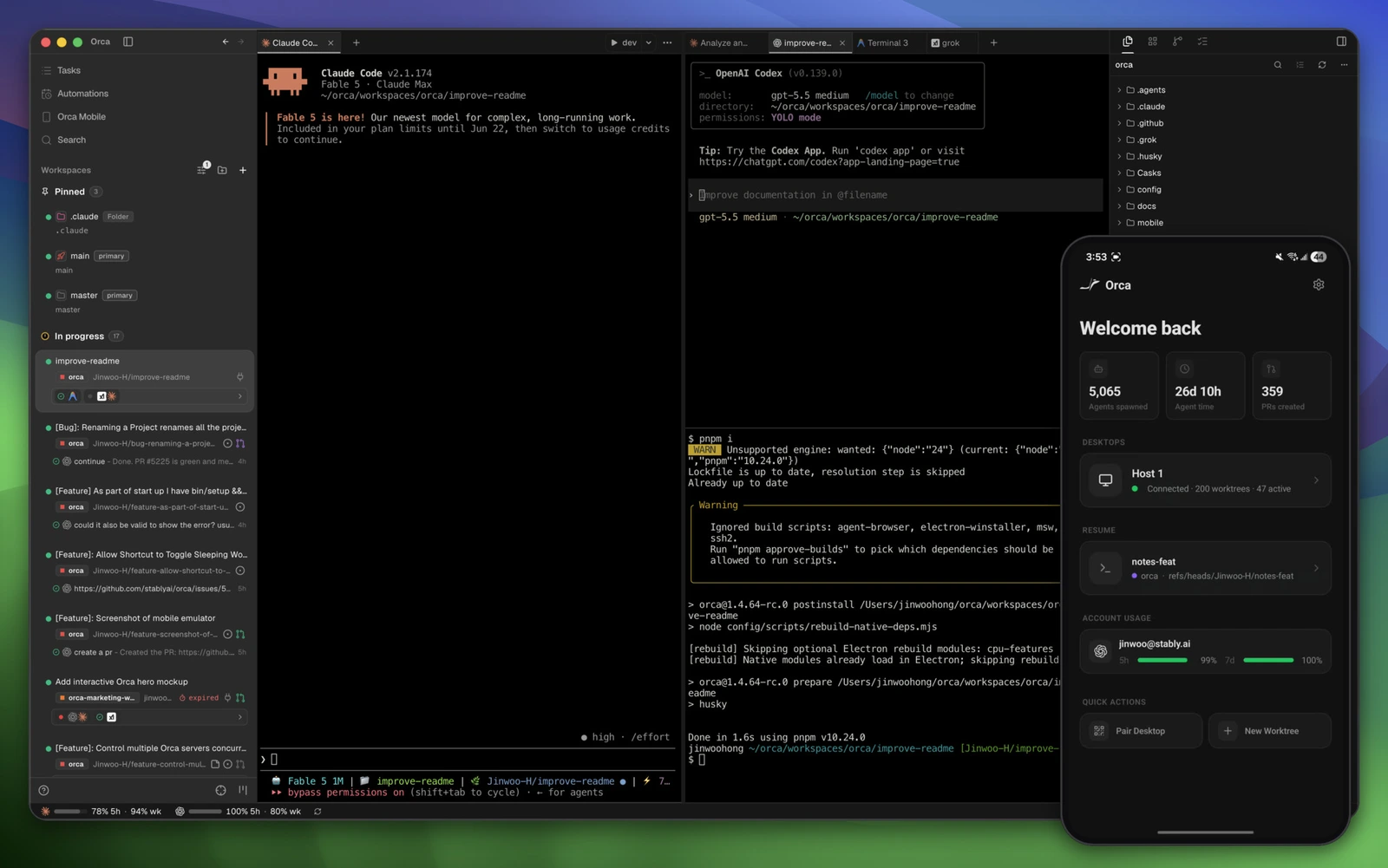
Orca on desktop: list of worktrees on the left, agents running in the middle, companion mobile app in the corner. Image: official project README.
What is Orca?
Orca is an open-source application developed by Stably, released under the MIT license, used to coordinate multiple coding agents running in parallel. The development team calls this an Agent Development Environment (ADE): instead of revolving around a human coder's cursor, the interface revolves around a team of agents. Orca doesn't write code itself. The app opens terminals, creates worktrees, starts the agents you choose, notifies you when an agent is done, and helps you review changes. Claude Code or Codex underneath still use your own account, so Orca is free while the AI costs belong to the agent provider.
According to GitHub, as read on 19/10/2026: the project launched in March 2026, has around 96,000 stars, the latest version is 1.4.229 released on 17/10/2026. Orca runs on macOS, Windows, Linux and has iOS and Android apps.
In fact, the README states the development team updates daily, so the real feature list is in the changelog on GitHub. For example: you delegate 5 independent tasks and each agent runs for 20 minutes. Running in parallel, the whole batch finishes in about 20 minutes instead of 100 minutes if done sequentially, not counting your time reviewing results.
Why run agents in separate worktrees?
Separate worktrees are necessary because two agents modifying the same directory will overwrite each other: agent A just edited a file and agent B reads the old version and writes it back. A git worktree is its own working directory of the same repo, sitting on its own branch, so each agent works and tests separately, while the main branch stays untouched. You can create one yourself with git worktree add, but with five agents at once, the tedious part is remembering which agent is where, whether it's done, what it changed. Orca handles that management part.
The official Orca README (October 2026 version) lists two typical use cases. Case 1: split one request among five agents, each agent in one worktree, compare results and merge the best version. Case 2: assign five different tasks to five agents and handle them one by one as each agent reports done.
Example scenario: you need to add a login page to a Next.js project. First, delegate the task to Anthropic's Claude Code and OpenAI's Codex in two worktrees. Then open the diff from each side, about 10 minutes each, total 20 minutes, then pick the simpler version.
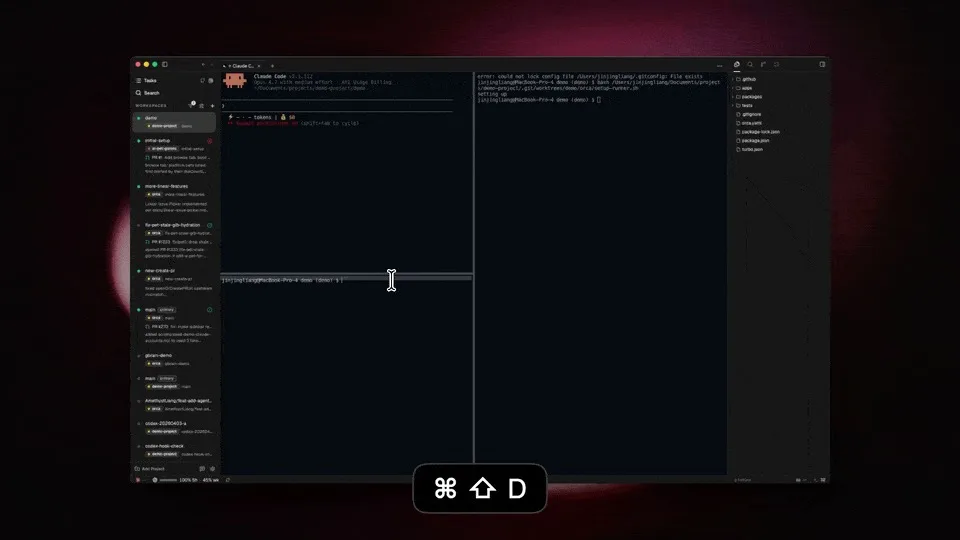
Split-pane terminal in Orca (keyboard shortcut ⌘⇧D to split). Image: official README.
What are Orca's main features?
The core point of Orca is bringing all agents into one management screen. The list below follows the official README, read on 19/10/2026. First, nine main feature groups:
- Parallel worktrees: each agent in its own isolated worktree, tracked in the sidebar.
- Split-pane terminal: like Ghostty, drawn with WebGL, split without limit.
- Design Mode: click an element in the Chromium window, Orca sends HTML, CSS and screenshot into the prompt.
- Annotate diff: add notes to each line the AI changed then send back to the agent.
- GitHub and Linear: view PRs, issues and open worktree from a task.
- Worktree over SSH: run agents on a powerful machine far away, auto-reconnects.
- Mobile app: get notified when an agent is done.
- Drag files into agent: edit like VS Code, drag files or images into the prompt.
- Track usage: see how much you've used Anthropic's Claude and OpenAI's Codex, switch accounts without re-logging in.
For example, when editing UI, you use Design Mode to select a button and send that button's code to the agent, avoiding having to describe it in words.
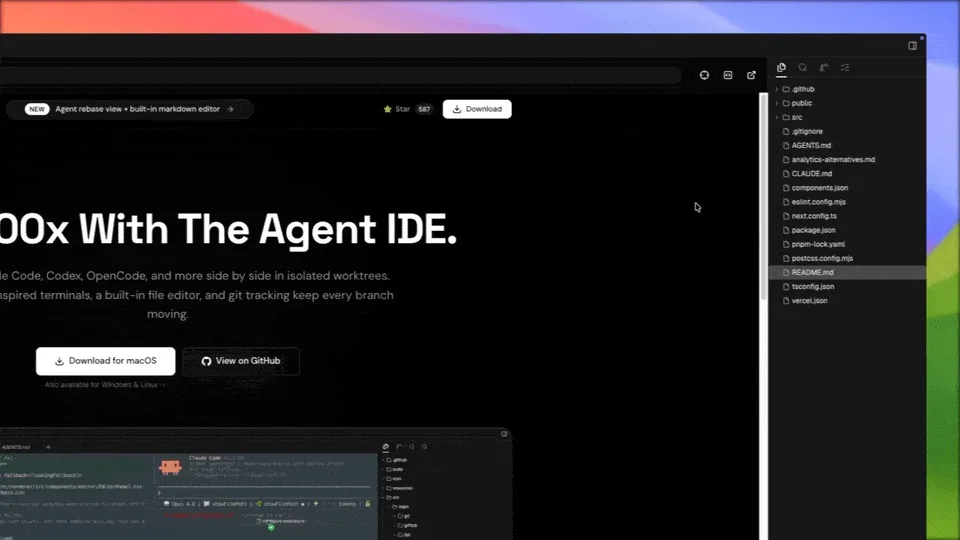
Design Mode runs on Chromium browser built into Orca. Image: official README.
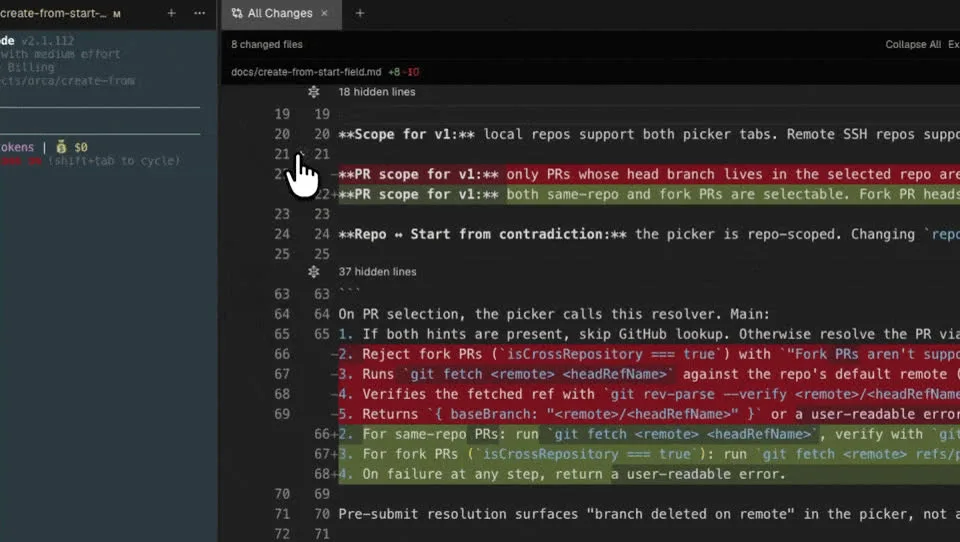
Annotate diff: add notes to code lines then send back to agent. Image: official README.
Which agents does Orca support?
Orca supports any agent that runs in the terminal, meaning you're not locked into one provider. The README as of October 19, 2026 puts it briefly like that, and the available list with icons includes over 30 agents: Claude Code, Codex, Cursor CLI, GitHub Copilot CLI, Grok, OpenCode, Antigravity, Pi, Oh My Pi, Hermes Agent, Devin, Goose, Cline, Kimi, Qwen Code, Amp, and Droid.
For example, you could have Claude Code handle one branch, Codex handle another, and an open-source agent like Oh My Pi run a cheap model for minor fixes, all in the same Orca window.
A suggested way to divide work (hypothetical example, not a recommendation from Stably). First, categorize the work:
- Hard work that needs long reasoning: assign to Anthropic's Claude Code or OpenAI's Codex if you have a subscription plan.
- Repetitive work like renaming variables or writing tests: assign to Oh My Pi with a cheap model.
- Work that needs comparison: send the same request to two agents and then compare the diff.
Each agent still logs in with your own account, so Orca doesn't charge you extra fees.
How is Orca different from Cursor or running agents in the terminal normally?
| Criterion | Orca | Cursor | Terminal + tmux |
|---|---|---|---|
| Focus | Orchestrating multiple CLI agents | AI-powered code editor | Arranging sessions yourself |
| Agent | Any CLI agent, using your subscriptions | Cursor's agent, by plan | Any CLI agent |
| Worktree | Creates and tracks automatically | Has background agent features | Do it yourself with git worktree |
| Review changes | Annotated diff, send back to agent | Yes | Use git yourself |
| Price | Free, MIT | Paid plans | Free |
Cursor works when you want to write code yourself with AI support alongside. Orca works when you've already handed off most code writing to agents and need a place to manage multiple agents at once.
Installing Orca
Download the installer from onorca.dev/download (macOS Apple Silicon/Intel, Windows, Linux AppImage), or use a package manager:
# macOS (Homebrew)
brew install --cask stablyai/orca/orca

# Arch Linux (AUR)
yay -S stably-orca-bin
After installing, open the app, add a repo (a project folder with git), pick an agent you've already set up and logged into, then create your first worktree. The mobile app pairs with your computer to monitor from afar.
Controlling Orca from the command line
Orca has the orca command so agents (or your scripts) can control the app. Some commands, according to orca --help in version 1.4.229:
orca status                 # app and runtime status
orca repo add <path>        # add a project to Orca
orca worktree create        # create a new worktree managed by Orca
orca worktree ps            # summary of all worktrees
orca agent launch           # start an agent in a worktree
orca serve                  # run Orca headless on a server
orca automations create     # create scheduled tasks
There's also an orchestration command group for agents to message each other, create and assign tasks, and set "decision gates" waiting for human review, useful when you want one agent to orchestrate other agents.
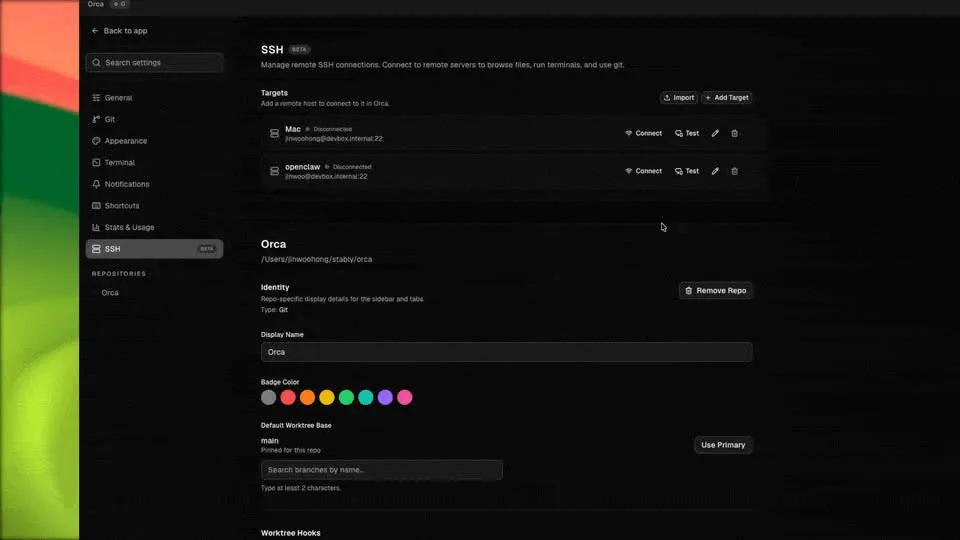
SSH settings screen: add a remote machine as the place to run agents. Image: official README.
What should I keep in mind before using?
- AI costs go up with each agent. Five agents running in parallel means five times the model usage. Track your usage in Orca and set limits at your provider.
- Disk space. Each worktree is a separate working directory; a Node.js project might need to reinstall libraries in each worktree.
- You still have to review. Orca helps you see diffs faster, but merging code into the main branch is still your decision, especially when comparing results from multiple agents.
- Usage data. Orca collects anonymous usage data and lets you turn it off; check the telemetry page before using it for sensitive projects.
- Fast changes. The software updates almost daily, so the interface and commands may differ from this post. Check the GitHub changelog when something seems odd.
Video review Orca
Some videos introducing and testing Orca (in English):
Christian Lempa: using Orca as the main terminal and editor.
Tonbi's AI Garage: installation, worktree and Design Mode.
Alex Hitt: git worktree and running agents in parallel.
AI Stack Engineer: running Claude Code, Codex and OpenCode at the same time.
Read more: Claude Code (or coding agents) for people who don't know how to code.
Frequently asked questions
Is Orca free?
Yes. Orca is open source under the MIT license, according to GitHub (checked 19/10/2026). Costs only come from the agents and AI models you use inside, for example Anthropic's or OpenAI's plans.
Does Orca write code on its own?
No. Orca orchestrates coding agents like Claude Code, Codex or Oh My Pi; the agents do the code writing.
If I don't know git worktree, can I still use it?
Yes. Orca creates and manages worktrees for you. Basic understanding of git branches still helps when merging results from 2 or 3 agents.
Does Orca run on Windows?
Yes. Version 1.4.229 (17/10/2026) has installers for Windows, macOS and Linux, plus iOS and Android apps for remote monitoring.
Can I run agents on a server?
Yes, via SSH worktree or the orca serve command to run Orca without a UI on a remote machine. First add the remote machine in the SSH settings section, then create a worktree on that machine.
Conclusion
Orca is a good fit if you already use coding agents daily and find waiting for one agent to finish sequentially is a bottleneck. Start small first: 2 agents, 2 worktrees, one easy task, for example fixing a small bug or writing a test. Next, practice reviewing diffs and merging results with Git before increasing the number of agents, because the model costs from Anthropic, OpenAI or other providers add up per agent. Finally, check the changelog on GitHub whenever the UI or commands differ from this post, since version 1.4.229 (17/10/2026) may have been replaced by a newer one.
If you're new to coding agents, master one agent first. Read the post What is Oh My Pi? for more open source agent options.
Sources: Orca README on GitHub, onorca.dev, orca --help command version 1.4.229. GitHub data checked 19/10/2026.
Translated from Vietnamese with AI. Read the original.
Want to apply this in your business?
Book a free 30-minute call (Vietnam time, in English or Vietnamese).